Readers are craving that personal connection with the authors they read more than ever before. While your author brand is a key part of creating that connection, an author website gives this brand a home.
The website is the place readers will go to learn more about you and your writing.
While having an author ‘website’ is non-negotiable, it doesn’t need to be as complex as you think. It can be as simple as a landing page directing people to your books.
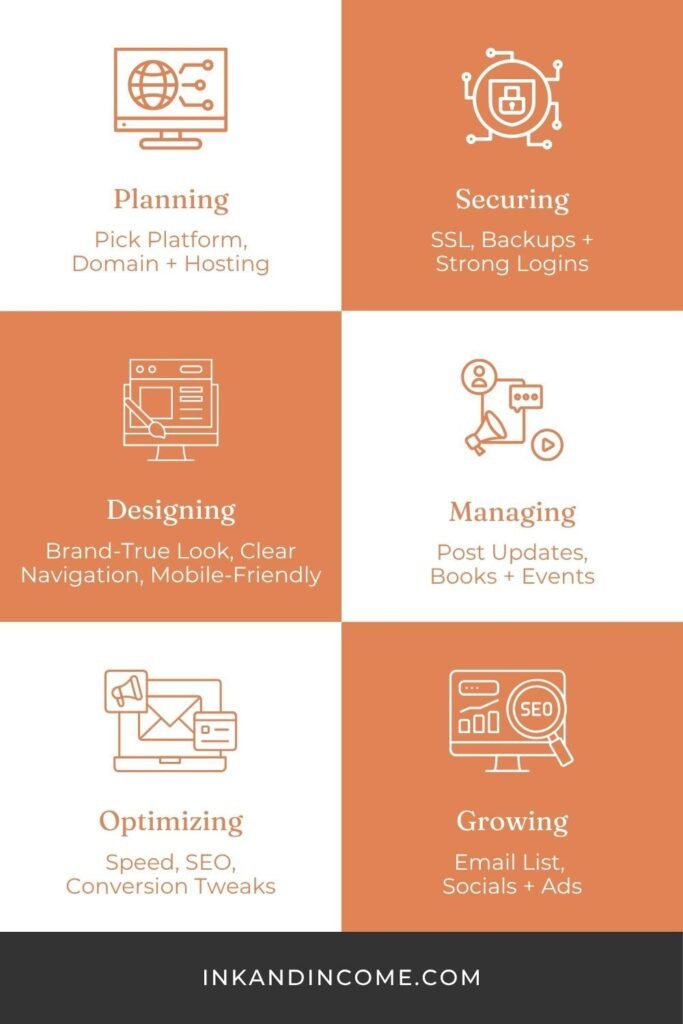
In this article, we’ll explore how to create an author website.
What is an Author Website? Why Do I Need One?
An author website is a place completely dedicated to you, which you can use as a portfolio, a business card and a home base for readers.
You might be wondering why you need a dedicated website when you have social media profiles. There’s a big difference, however, between your own website and ‘borrowed’ social media platforms. Put simply, your website belongs to you. It’s your own ‘real estate’.
In other words, social media platforms can disappear. Meanwhile, your website will exist as long as you want it to. It’s something you have full control over.
What will a strong author website do? It will:
- Create an engaging author brand
- Act as an all-in-one hub for information about you and your book(s)
- Create a stronger, more personal connection with your readers
- Be a tool for gathering marketing data
- Help you build an email list
Now that we’ve covered the ‘what’ and ‘why’, let’s explore the ‘how’.
The Basics
Domain Name
Your domain name—or your website address—is an important part of your author brand. It’s important to keep this simple. Remember these rules when deciding on your domain name:
- Make sure it’s easy to spell
- Try choosing something easy for your readers to remember
- Have a professional tone
- Double check that your domain name isn’t being used by anyone else on social media
A popular choice for author domain names is to use your name (or author penname) with the word ‘author’ or ‘book’. For example, authorjanedoe.com or janedoebooks.com.
Once you’ve decided on your domain, try to purchase it right away. There’s a risk that someone might beat you to it otherwise.
Web Hosting
You need a web host for your website. This is like renting space for your site online. Your web host has the servers that show your site to visitors.
These are some factors to keep in mind when choosing a web host.
Speed
Website speed is important. Visitors can get impatient and leave if the site takes too long to load.
Ability to Grow
There are tons of hosting companies to choose from. Some of the most popular ones are:
- Hostinger
- SiteGround
- Bluehost
- GoDaddy
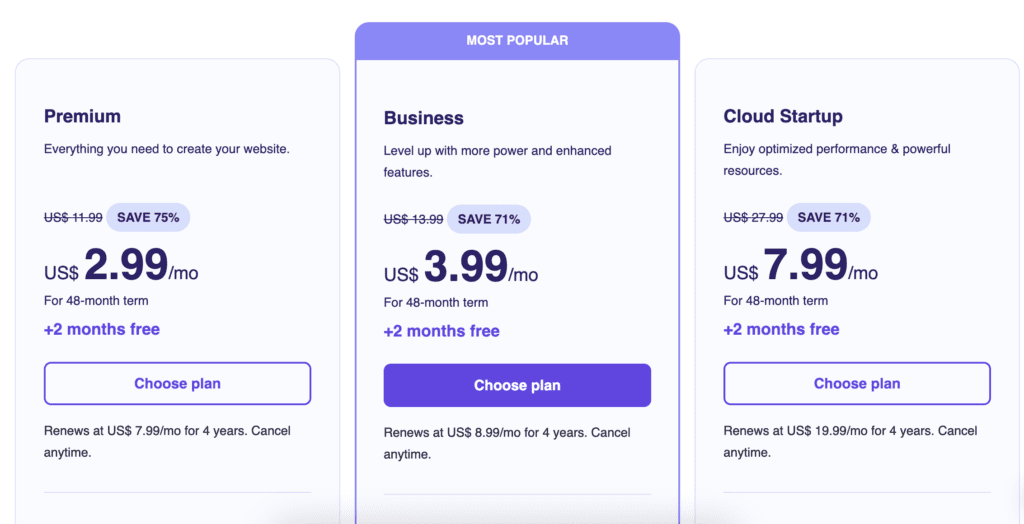
We swear by Hostinger ourselves and you can use our referral code for an additional 20% off.
Security Features
Learn about the different website security and maintenance features that your host provides. The most important factors are:
- SSL Certificates: Make sure that you get SSL certificates (HTTPS), as they’re needed for security and to show your visitors that your site is trustworthy.
- Regular Updates: Make sure that the CMS, plugins, and themes are updated for security regularly to prevent breaches.
- Automatic Backup: Look for the ability to do these automatic backups using plugins such as Jetpack and UpdraftPlus.
(Hostinger has all three features.)
Customer Support and Reliability
Choose a hosting service that has 24/7 customer service and support. Do your research and look for reviews of the hosting service. Find out what other people have to say about how reliable it is.
Content Management System (CMS)
The Content Management System (CMS) is what you use to create and manage the content on your website. WordPress is the world’s most popular option for author websites. It has a bunch of useful features, which we’ll talk next.
Easy SEO Optimization
One of the reasons WordPress is synonymous with blogging is its CMS (Content Management System). It’s designed for blogging, so it’s easy to SEO optimize. There are tools you can use, such as Yoast, to help you with this process.
Built-In Blogging
WordPress is perfect for blogging. If you want your site to have a significant blog component, it’s the perfect platform.
Added Functionality with Plugins
WordPress has a bunch of different plugins. You can use them to add various features to your site.
Customizable Themes
Another strength of WordPress is the breadth of its themes to choose from.
Theme and Appearance
You use a theme to make your site look exactly the way you want it to. Choose a theme that matches the visual style and layout you envision for your site, all while making sure it aligns with your author brand.
The most important factors to keep in mind when you choose a theme are:
- Customer support
- Loading speed
- Regular updates
- Options for customization
- Mobile responsiveness
Tips for Designing Your Author Website
Keep Enough White Space
Make sure that you leave enough white space on each page. This will be more appealing to the eye than cluttered text.
Use Readable Text
Make sure that the text on the page is readable. In most cases, it’s best to use dark text on a light background.
Add High-Quality Images
Source appropriate and high-quality images to include on your site. We love Unsplash and Pexels, personally.
Choose Appropriate Fonts
It’s best to use fonts that align well with your genre.
Use Brand Colors
Choose two or three brand colors that you’ll use consistently all over your site.
What Pages Do I Need?
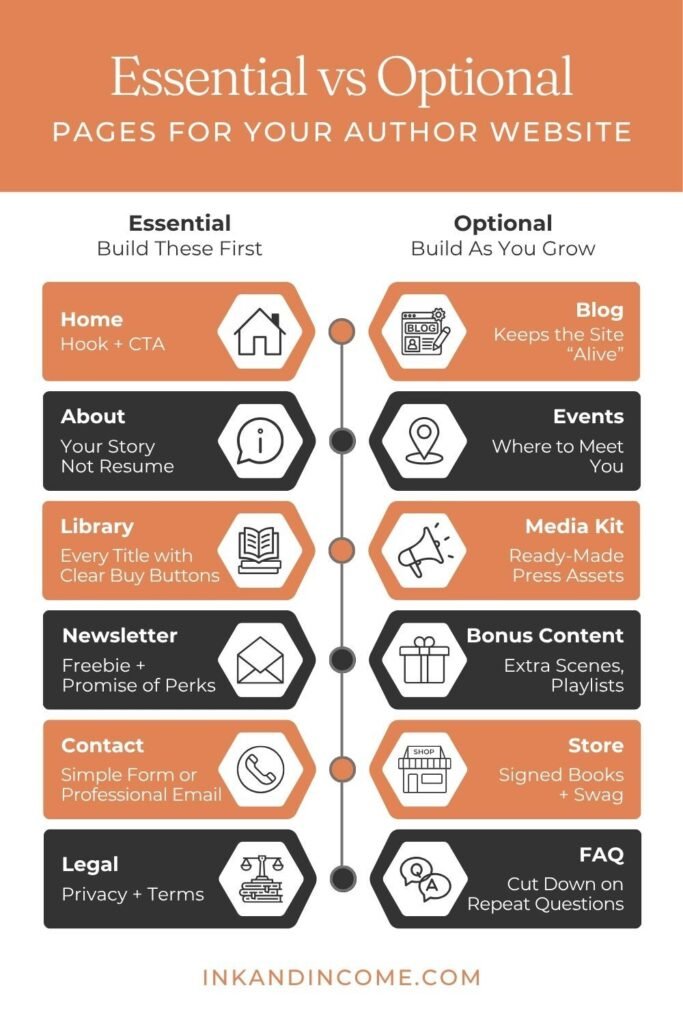
Now that you have the basics down, let’s take a look some must-have pages. Read this article if you’d like a more comprehensive list of pages (both essential and optional) with what should be on them.
Homepage
Your site’s homepage welcomes visitors and gives them an idea of where they are. Your homepage should communicate who you are, what you write, and what your visitors might like to do next.
Definitely write an engaging headline crafted for your target readers for your homepage.
Some other elements you could include are: a professional author photo or information on your latest or upcoming book release.
Feature your email newsletter signup form prominently as well. Finally, make sure that your homepage shows clear navigation to your other pages.
Contact Page
Your contact page is where you tell your readers how they can reach you. You can provide a professional email address, social media links, and/or a contact form.
You could also offer media inquiry guidelines and your literary agent’s information if you have one.
About Page
Talk about your background and career as an author on your about page. This is where your author bio goes. Talk about what inspires you to write and why you decided to become an author. Add personal touches relating to your books whenever possible. Include a professional headshot on this page, and make sure to show your personality.
Legal Information
Don’t overlook adding legal pages to your site. There are several pages with legal information that you should include. These include:
- Terms of Service
- Privacy Policy
- Disclosure Statements for Affiliate Links
- Cookie Policy
Consider asking a legal professional to review these pages.
Blog
Creating a blog is a great way to attract new readers. We’ve discussed the benefits of content marketing, but a blog will also help improve your search engine optimization (SEO).
Your blog should focus on high-value content for your readers. In other words, try to provide information that your target reader would like. This might be your behind-the-scenes writing process, as well as book recommendations.
If you have a blog, you should have a content calendar. Your content calendar is where you make plans for your upcoming blog posts.
Books Page
The books page is where you show off all your works. Include the following for each of your books:
- High Resolution Cover Image
- Book Blurb
- Purchase Links
- Series Information
- Any Content Warnings
Keep your books page well-organized, so that your readers can find what they’re looking for easily. If you have one or multiple series, then group your books by them.
Make sure your latest release prominently featured.
Email Newsletter Signup
This is so important. An email newsletter is super valuable because it gives you a direct line to your readers.
To make your email newsletter something that will inspire your readers to sign up, make sure to add value. In other words, it should be easy for your readers to see what your newsletter offers them.
Include a signup form for your email newsletter on the homepage of your author site. When coming up with content ideas for your email newsletter, consider a mix of content types. For example, you could include behind-the-scenes or story extras, as well as updates.
Search Engine Optimization (SEO)
SEO (search engine optimization) isn’t as complicated as it sounds. At its heart, it’s just making your website as easy to read as possible for both search engines and readers.
Getting your site search optimized includes content-focused factors like quality. But it also involves more technical issues, like getting your site loading quickly and giving it a mobile-friendly design. Other factors include internal linking, alt text for your images, meta-descriptions, and keyword use.
Stay tuned for a more in-depth breakdown of SEO for author websites.
Website Performance Analysis
You should analyze your website’s performance. One great tool to use is Google Analytics.
Google Analytics
Google Analytics is a tool that lets you track major site metrics. Key author metrics include the geographical location of your visitors, book page visits, top traffic sources, bounce rate, time on page, and page views.
It’s important to check this information and use it to plan your content strategy and other marketing decisions.
Common Author Website Mistakes
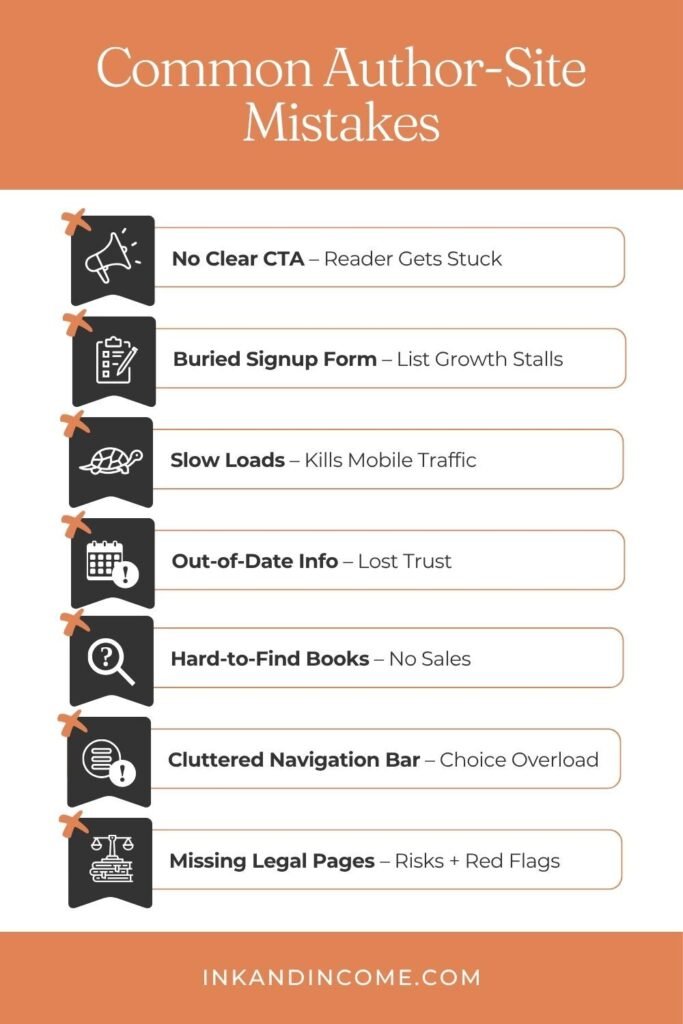
There are certain mistakes that many authors make when setting up their websites. These include:
Forgetting Calls to Action
A common mistake is forgetting to include clear CTAs (calls to action). Some examples of effective CTAs are newsletter signups, book purchase links, and social media links that encourage readers to follow you there.
There are certain features your calls to action need to have to be effective. They need to be visible and action-oriented. They should be immediately clear to your readers that there is value for them in doing what you want them to do.
Not Optimizing for Mobile Devices
If you don’t optimize your site for mobile, you’re going to lose a lot of potential readers. Remember, most people today access sites from their mobile devices.
Some of the most essential parts of mobile optimization include ensuring the text is readable without having to zoom in, adding images that scale, and including forms that work on mobile devices.
Confusing Design
Try to give your site a sleek, streamlined design. Avoid making it look too cluttered or overwhelming. Make sure your homepage isn’t overloaded with information. If visitors struggle to read your content or feel overwhelmed then they’ll probably leave before reaching your books page.
Final Thoughts
Your author website is one of your most powerful marketing tools. It can become the heart of your online presence. It is a lot of work, but it’s a worthwhile investment.
Take things step by step, so you don’t feel overwhelmed. If you’re struggling, then feel free to book a consultation call. We can work through it together!